Choosing the right computer for an office is an important decision for businesses of every size. From handling emails and preparing reports to managing accounting software, attending virtual meetings, and working with business applications, desktop computers play a central role in everyday operations. However, equipping an entire office with new computers can require a significant investment, particularly for startups, small businesses, and organisations expanding their teams.
A refurbished desktop computer can offer a practical alternative. These systems have been previously used and subsequently inspected, tested, and, where necessary, repaired or upgraded before being offered for resale. When selected carefully, a refurbished office desktop can provide suitable performance for routine business tasks while helping organisations manage their IT budgets more efficiently.
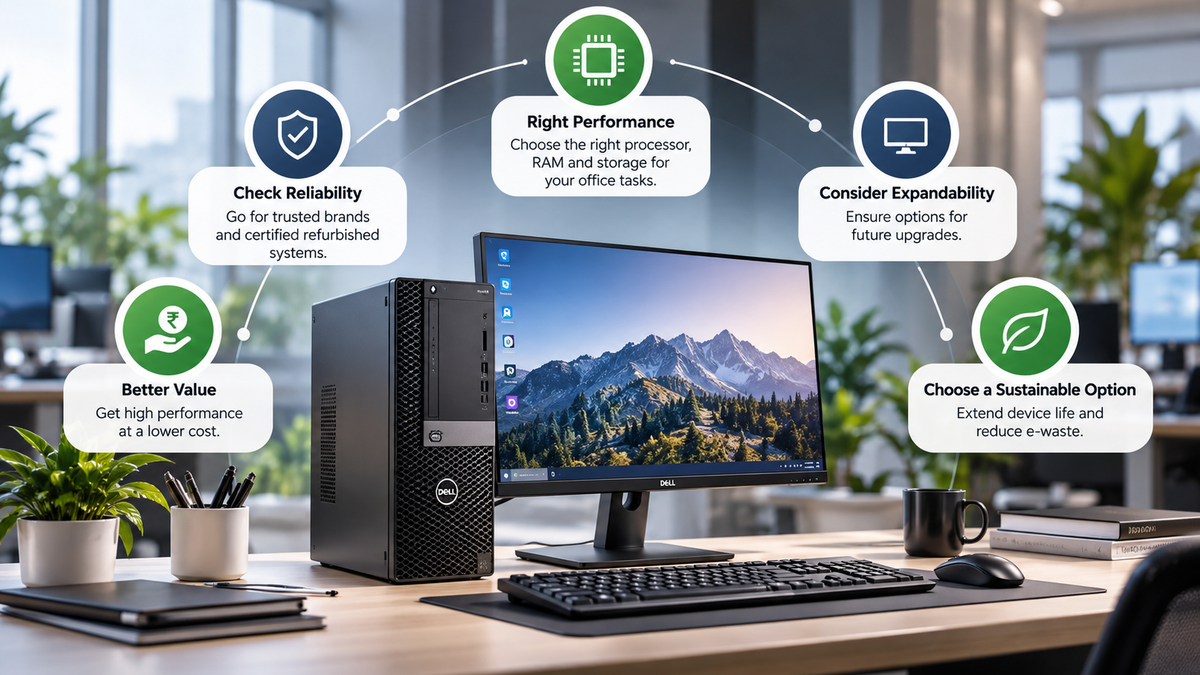
However, not every refurbished desktop is appropriate for every workplace. Processor generation, RAM capacity, storage type, operating system compatibility, physical condition, warranty coverage, and future upgrade options all influence whether a computer will meet business requirements.
Understanding these factors can help buyers make an informed decision instead of choosing a desktop based solely on its price or brand name.
1. Identify Your Office Work Requirements First
Before comparing refurbished desktop computers, identify what employees will actually use them for. This is the most important step because different office roles have different computing requirements.
Start by listing the applications employees use daily, the number of programmes they typically run simultaneously, and whether they need to connect multiple monitors or specialised peripherals. It is also worth considering future requirements. A computer that handles basic document editing today may struggle if the employee begins using more demanding software later.
For general office work, a balanced configuration with a suitable processor, adequate RAM, and SSD storage is often more useful than a system with one impressive specification and several limitations. Matching the refurbished desktop to the intended workload helps prevent unnecessary expenditure while reducing the risk of purchasing underpowered equipment.
2. Check the Processor Generation and Performance
The processor, or CPU, is responsible for executing instructions and handling many of the tasks performed by a computer. Its capabilities influence application responsiveness, multitasking, and overall system performance.
When choosing a refurbished desktop for business use, do not focus exclusively on whether it has an Intel Core i3, i5, or i7 processor. The processor generation, exact model, core configuration, and supported features also matter.
For basic administrative work, a reasonably recent processor that meets the requirements of the intended software should be sufficient. For heavier multitasking, extensive spreadsheet work, or specialised business applications, a stronger processor may provide a better experience.
Businesses should also consider the computer’s expected service life. An older desktop may initially cost less, but its limited performance or lack of support for current software could lead to an earlier replacement.
3. Choose the Right RAM Capacity for Smooth Multitasking
Random Access Memory (RAM) allows a computer to keep actively used applications and data readily accessible. When memory is insufficient, the system may become slower as it relies more heavily on storage to handle active tasks.
For office work, 8GB RAM can be adequate for lighter activities such as document editing, email, and basic web browsing. However, employees who regularly keep numerous browser tabs open while using spreadsheets, video conferencing software, and business applications may benefit from 16GB RAM.
For more demanding workloads, such as large datasets or specialised professional software, higher memory capacity may be necessary. When selecting a refurbished desktop, consider both the installed RAM and the computer’s maximum supported memory. Some systems allow straightforward memory upgrades, while compact models may have more limited expansion options.
For many modern office environments, 16GB RAM is a sensible target when the budget permits, especially for employees who regularly multitask. However, the appropriate capacity should always be based on actual workload requirements and software recommendations.
4. SSD Storage Over a Hard Drive
Storage is another important factor when choosing a refurbished desktop computer. Hard disk drives (HDDs) use mechanical components to read and write data. Solid-state drives (SSDs), by contrast, use flash memory and generally offer significantly faster access to data.
For everyday office work, an SSD can improve startup times, application loading, file access, and overall system responsiveness. A refurbished desktop with a suitable processor and SSD storage may feel considerably more responsive than a similar computer relying entirely on an older mechanical hard drive.
For basic office applications, a 256GB SSD can be a reasonable starting point. A 512GB SSD may be more suitable for employees who store larger files, work with multiple applications, or need additional local storage. Businesses should also evaluate their data storage policies. If documents and files are stored on company servers or approved cloud platforms, employees may not need large local drives.
5. Verify Operating System Compatibility and Security Support
Operating system compatibility is particularly important for business computers because security updates, application compatibility, and vendor support affect long-term usability. Before purchasing a refurbished desktop, check whether its processor and other hardware meet the requirements of the operating system your organisation intends to use.
It is also important to confirm that the operating system licence is genuine and appropriate for the device and intended use. For office environments, security considerations should include supported firmware, available driver updates, endpoint protection, user access controls, and regular software updates.
6. Choose a Suitable Desktop Form Factor
Refurbished desktop computers are available in different sizes, and the right form factor depends on workspace, connectivity, and future upgrade requirements. Tower desktops provide more internal space for additional storage, memory, and certain expansion cards. They can be suitable for offices that expect to upgrade components or need more flexibility in their hardware configuration.
Small-form-factor desktops occupy less desk or floor space while providing many of the features required for routine office work. They can be particularly useful in compact offices, reception areas, and workstation setups where space is limited. Mini PCs offer an even smaller footprint, although their upgrade options and internal component layouts vary by model.
When comparing desktop sizes, consider more than the dimensions of the casing. Check the number of available USB ports, display outputs, Ethernet connectivity, and compatibility with existing monitors and accessories.
Businesses should also consider cooling and accessibility. A computer installed in a cramped cabinet or poorly ventilated area may experience thermal issues regardless of its original condition.
Conclusion
Choosing the best refurbished desktop for office work begins with understanding what employees need to accomplish each day. Processor performance, RAM capacity, SSD storage, operating system compatibility, physical condition, connectivity, and warranty support all influence the suitability of a computer for business use.
For many office environments, a properly tested desktop with a suitable processor, 16GB RAM where needed, and SSD storage can offer a practical balance of performance and affordability. However, the ideal configuration depends on the applications being used and the organisation’s future requirements. Refurbished desktops can be a sensible option for startups, small businesses, established offices, training centres, and organisations equipping multiple employees. By comparing specifications carefully and evaluating the complete cost of ownership, buyers can select systems that meet their requirements without overspending.